Bear App alternative
Beautiful Markdown, available everywhere.
Bear is beloved for its beautiful typography, warm aesthetic, and fluid Markdown experience. But its fatal flaw is being trapped completely inside the Apple ecosystem.
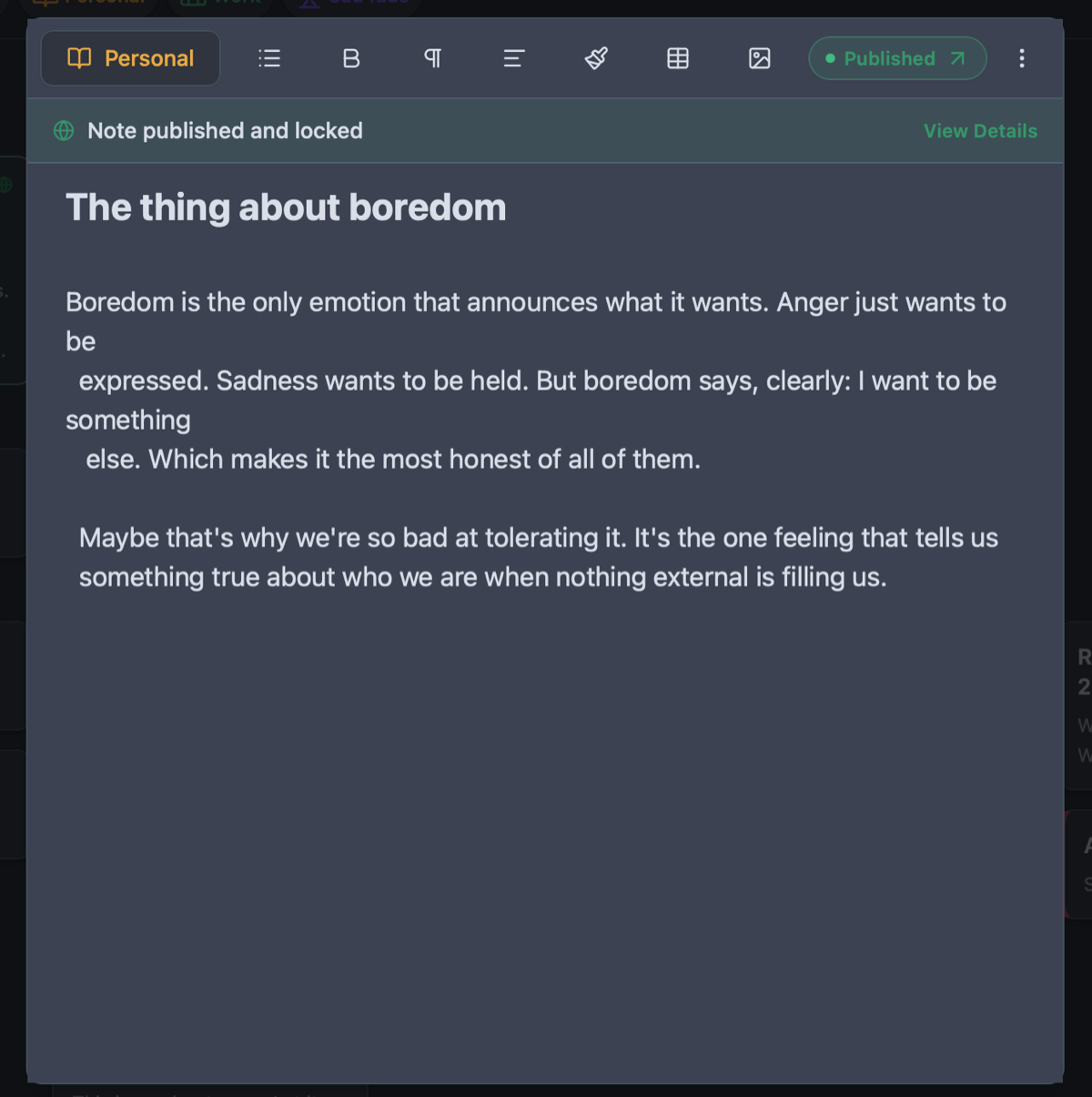
Owldo provides a similarly gorgeous, distraction-free Markdown environment, but makes it accessible on Windows, Mac, and mobile, while integrating real date-driven task management.
Our Philosophy
“You shouldn't rent your data. You should own it.”
Proprietary cloud databases are traps designed to make it impossible for you to leave. Owldo rejects this hostile approach. Your notes are standard Markdown. You can export your entire database at any second, which forces us to build a product so good you'll want to stay.

What you get
- Cross-platform support: native desktop applications for macOS and Windows, plus mobile
- Date-driven task management with schedules and Pomodoro timers (which Bear lacks)
- Local-first SQLite architecture delivers instantaneous, tactile speed
- One-tap web publishing turns notes into live, elegant publications
- Standard Markdown export ensures your thoughts are never locked in
Typographic Aesthetics Beyond the Mac
The tools we use shape how we feel about our work. Bear proved that note-taking software does not have to resemble a sterile corporate spreadsheet; it can be an inviting, aesthetically uplifting environment that encourages writing.
Owldo shares this deep obsession with craftsmanship. We calibrated line measure, font pairings, contrast ratios, and surface modes (Clean Light, Sleek Dark, Warm Sepia). We believe that reducing visual noise and respecting typography makes you a clearer, more focused thinker.
Breaking Out of the Apple Walled Garden
If you love writing in Bear on your personal MacBook but must use a Windows workstation at your job, you are cut off from your intellectual archive during the most productive hours of your day.
Owldo eliminates this boundary. We built native, lightning-fast desktop applications for both Mac and Windows. Your notes, drafts, and tasks synchronize silently in the background, keeping your workspace unbroken across all your devices.
Real Task Execution Instead of Plain Text Brackets
Bear only supports rudimentary Markdown checkboxes (`- [ ]`). While sufficient for a grocery list, this fails completely for project management. You cannot assign due dates, view a daily agenda, track recurring milestones, or run a focus sprint in Bear.
Owldo combines distraction-free Markdown writing with a robust, date-driven task engine. You get the beauty of a dedicated writing app and the execution power of a modern task manager in one unified Space.
See Owldo in action
Frequently asked questions
Is Owldo available on Windows like Bear isn't?
Yes. Owldo provides a native desktop application for Windows alongside macOS, iOS, and Android.
Does Owldo use nested hashtags like Bear?
Owldo uses lightweight, color-coded Spaces rather than deep hashtag hierarchies, preventing complex taxonomic overhead.
Can I export my notes freely?
Yes. Owldo stores notes locally on device and provides 1-click export to standard Markdown files anytime.
Does Owldo support focus timers for writing sessions?
Yes. Owldo includes a native Pomodoro timer built directly into tasks and notes to support sustained deep work.
Related guides & use cases
Explore more ways to organize your thoughts and publish your work.

Markdown notes & tasks
Markdown features
A markdown note-taking app that doesn't treat tasks as second-class citizens. Fast, offline-first, syntax-highlighted, and built for people who live on the keyboard.

Todo app for developers
Developer workflows
Owldo gives software developers project tasks, syntax-highlighted markdown notes, offline access, and Pomodoro focus in one lightweight, anti-bloat workspace.
Guide
Detailed Bear comparison
Read more about Owldo's approach and workflows.