Productivity Super App
The quiet personal super app: Notes, tasks, focus, and reading unified.
Over the past five years, the term "Productivity Super App" became a corporate buzzword. Enterprise software giants (like ClickUp and Notion) promised that by cramming eighty distinct modules—Gantt charts, sprint poker, relational databases, time tracking, whiteboards, chat channels, and wikis—into a single web application, knowledge workers would achieve nirvana.
The reality has been a slow, bloated disaster. These tools consume gigabytes of memory, take ten seconds to open, freeze on airplanes, and overwhelm the human mind with complex configurations. Owldo reclaims the concept of the super app for the individual. Instead of eighty bloated corporate tools, we take the five fundamental pillars of personal intellectual work—Notes, Tasks, Focus Timer, Feed Reading, and Publishing—and unify them on a lightning-fast local SQLite engine that opens in 8 milliseconds.
Our Philosophy
“A super app shouldn’t mean bolting ten slow web apps together.”
Enterprise tools promised an all-in-one super app and delivered a bloated, 10-second loading labyrinth. A true personal super app unifies notes, tasks, focus, reading, and publishing on an instant local engine.

What you get
- The 5 core pillars of thought and execution: Notes, Tasks, Focus Timer, Feed Reader, and 1-Tap Publishing
- Sub-10ms local-first architecture: powered by embedded SQLite with zero web hydration latency
- Spaces for mental compartment: isolate Work, Personal, and Creative projects without visual cross-contamination
- Feed Studio newsletter & book reader: quarantine subscriptions outside your email and read literature in calm card decks
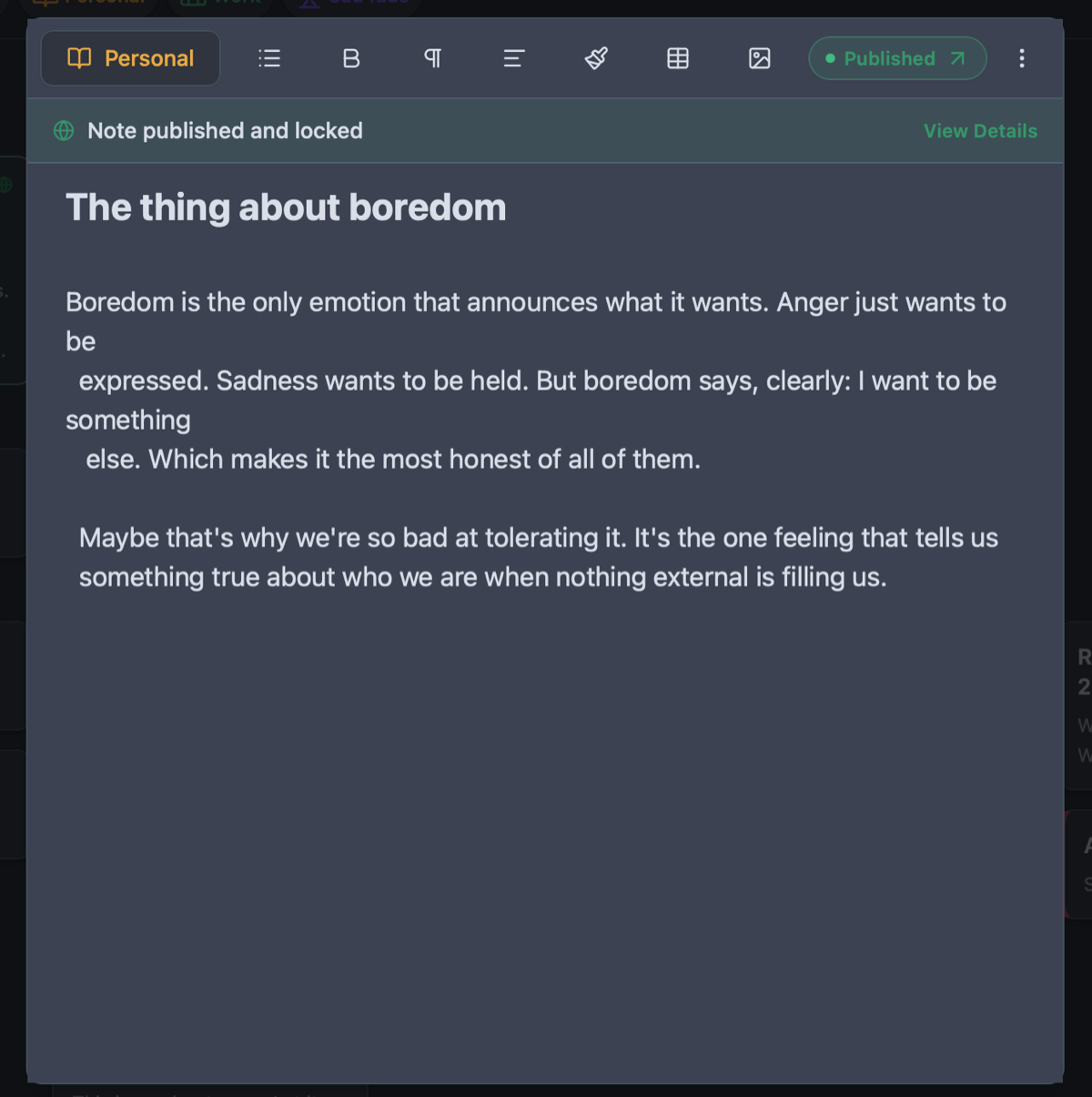
- Sovereign 1-tap web publishing: turn notes into live public web pages on your custom domain with RSS
- Full cross-platform parity: native speed on Mac, Windows, iOS, and Android with silent background sync
Deconstructing the Enterprise "All-In-One" Myth
Enterprise super apps fail because they try to serve everyone: the VP of Marketing who wants a Gantt chart, the HR manager who wants onboarding forms, and the sales team tracking deal stages. To satisfy everyone, the software becomes a labyrinth of nested menus and slow databases.
Owldo is unapologetically personal. It was designed from first principles for individual builders, writers, developers, researchers, and students. You don't need permission matrices, sprint estimation poker, or relational formula rollups. You need a fast, quiet place to think, plan, focus, read, and share.
The Synergy of the 5 Pillars
The true power of a personal super app is not the quantity of features, but the fluid synergy between them:
1. **Notes**: Write project specs, research debriefs, and essays in distraction-free Markdown with bespoke typography. 2. **Tasks**: Track deadlines and checklists side by side with your notes, preserving context without app switching. 3. **Focus Timer**: Anchor 25-minute Pomodoro sprints directly to your active tasks, surrounded by local ambient soundscapes. 4. **Feed Studio**: Read industry newsletters and non-fiction books in calm passage cards, capturing quotes directly into your notes. 5. **Publishing**: Turn private notes into public web essays on your personal domain with a single toggle.
Because all five capabilities share the same local SQLite database, moving between them is instantaneous and seamless.
Local-First Speed: The Architecture That Makes It Possible
If you tried to build this unified workflow on cloud-only web architecture, the app would inevitably lag under its own weight. Owldo avoids this entirely by building local-first.
Your notes, your tasks, your reading decks, and your focus logs reside physically on your computer's NVMe storage. Queries take 4 milliseconds. Opening the app takes 8 milliseconds. Sync across your other devices happens silently in the background when connected, but the app never makes you wait for an API to acknowledge your productivity.
Honest Trade-Offs: Personal Mastery vs. Corporate Bureaucracy
We believe in absolute transparency about what we build. If you need a collaborative workspace for a 100-person company where managers track employee hours, assign tickets across multiple departments, and export Gantt charts for executive review, enterprise tools like ClickUp, Asana, or Jira are built for that purpose.
Owldo is built for you—the person doing the actual work. It is a sharp, quiet, sovereign super app designed to protect your attention, accelerate your execution, and give your thoughts a permanent home.
See Owldo in action
Frequently asked questions
How does Owldo stay fast while offering so many features?
Owldo is built on high-performance native client runtimes (Tauri on desktop) and an embedded local SQLite database. It avoids heavy Electron dependencies and executes all reads and writes directly against local memory.
Can I use Owldo without an internet connection?
Yes. All five pillars—notes, tasks, focus timers, and feed reading—operate with 100% feature parity offline.
Can I pick and choose which features I use?
Absolutely. If you only want a distraction-free notepad, you can collapse the task and feed panels. Owldo adapts to your desired level of workflow.
How much does Owldo cost compared to enterprise super apps?
Owldo is free forever for local single-device use with unlimited notes, tasks, timers, and reading. Multi-device sync and custom-domain web publishing are $3/month (compared to $10–$25/user/month for tools like Notion or ClickUp).
Related guides & use cases
Explore more ways to organize your thoughts and publish your work.
Guide
Features overview
Read more about Owldo's approach and workflows.
Calm Productivity
Calm productivity app
A minimalist productivity app designed for calm execution. Notes and tasks unified in clear Spaces, with Today/Someday horizons and zero guilt badges.

Local-first task manager
Local-first task manager
A local-first task manager for people who want instant capture, offline access, private-by-default storage on device, and zero loading spinners.