Offline todo app
Your thoughts shouldn't have to wait for a server.
Most task apps feel fast—until the network gets weird. You’re on a plane, on a subway platform, or on flaky hotel Wi-Fi, and suddenly you can't check off a task or jot down a priority without staring at a spinning wheel.
Owldo is built on an uncompromising local-first architecture: your work belongs on your device first. We treat the cloud strictly as a background transport layer, not the gatekeeper your day has to load from. It is a sharp, quiet knife for people who refuse to wait for an API to acknowledge their productivity.
Our Philosophy
“We build sharp knives, not Swiss army knives.”
Most productivity apps try to be everything for everyone, resulting in bloated, slow software. Owldo is deliberately opinionated. We built a fast, local-first tool strictly for people who think in prose and execute in deadlines.

What you get
- Instant cold start and capture with zero network connection
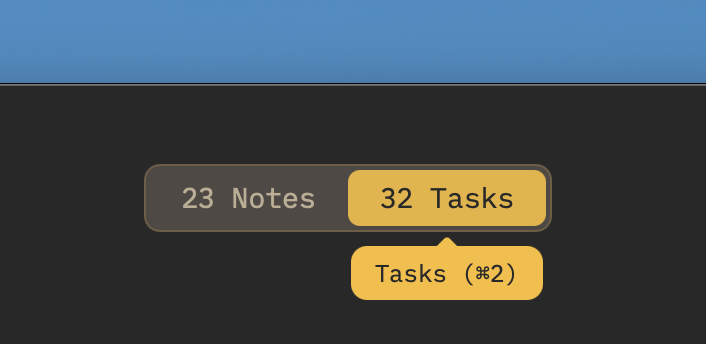
- Keep tasks and Markdown notes together without loading a heavy wiki
- Full feature parity offline (due dates, priorities, subtasks, focus timer)
- Silent, resilient background sync across all your devices when connectivity returns
The Psychology of the Loading Spinner
In 1982, Walter J. Doherty published a landmark research paper for IBM that established the "Doherty Threshold." It proved that for a human to stay in an uninterrupted state of cognitive flow, a computer must respond to their interaction in under 400 milliseconds. Today, despite gigabit fiber and 5G networks, our everyday productivity tools routinely fail this threshold.
Why? Because most modern task managers are just web apps trapped in Electron wrappers. Every time you check off a box or type a title, your computer has to ask a remote server cluster for permission to update state. When the connection stutters, your momentum evaporates.
That 2-second delay doesn't just steal two seconds; it fractures your working memory. You unlock your device to capture a fragile insight, wait for a white screen to hydrate, and by the time the input cursor blinks, the thought is gone. Owldo eliminates this latency by reading and writing exclusively to an embedded SQLite database on your physical hard drive. It responds in single-digit milliseconds. Always.
Tasks with the Context Attached
The Zeigarnik effect demonstrates that human minds hold onto uncompleted, fragmented tasks with immense tension. This cognitive loop is why an endless backlog of ambiguous to-dos triggers background anxiety. To close the loop, you need more than a naked checkbox—you need the context required to actually finish the work.
A task without context is pure friction. "Refactor auth middleware" is paralyzing if the architecture notes, error logs, and curl examples are scattered across Slack threads, Google Docs, and a corporate wiki. Owldo houses your tasks and the markdown notes that spawned them under the same local Space.
Because both the checklists and the notes are stored locally on device, you can sit on a cross-country flight with Wi-Fi switched completely off, open your active Space, review your code snippets or project brief, and systematically check off each milestone without ever touching a browser.
Built for Personal Velocity, Not Corporate Bureaucracy
Owldo rejects the enterprise bloat that ruins modern software. If you need a 50-person Gantt chart, relational database rollups, or permission hierarchies for middle managers, this is not the tool for you. We deliberately omit those features because they inevitably degrade the offline experience and introduce interface lag.
Owldo is crafted strictly for individuals: developers, founders, students, researchers, and writers who treat their task manager as an intimate extension of their brain. You wouldn't tolerate a brain that takes 3 seconds to retrieve a memory because you stepped into an elevator. You shouldn't tolerate a task manager that does it either.
See Owldo in action
Frequently asked questions
Can I use Owldo with absolutely no internet connection?
Yes. Owldo writes directly to a local SQLite database on your physical hardware. The entire app—checklists, markdown notes, spaces, and focus timers—remains 100% functional without Wi-Fi or cellular service.
Does Owldo work reliably in airplane mode?
Completely. Because every read and write happens locally on device, capturing, editing, reordering, and completing tasks work seamlessly in airplane mode with zero lag.
How does Owldo sync offline changes when I reconnect?
Owldo uses an asynchronous background synchronization engine powered by ElectricSQL. When your device detects internet connectivity, all local edits replicate silently in the background without blocking your active work.
Is Owldo free for offline use?
Yes. Owldo is completely free for local-first use on a single device with unlimited notes and tasks. Cross-device synchronization and public web notebook publishing are available on our flat $3/month plan.
Related guides & use cases
Explore more ways to organize your thoughts and publish your work.
Guide
Offline-first sync
Read more about Owldo's approach and workflows.
Guide
Owldo vs Todoist
Read more about Owldo's approach and workflows.

Local-first task manager
Local-first task manager
A local-first task manager for people who want instant capture, offline access, private-by-default storage on device, and zero loading spinners.