Digital Garden & Atlas
Turn your personal knowledge base into an exploreable atlas.
Researchers, students, and life-long learners often accumulate extensive personal knowledge bases, but traditional blogs bury evergreen insights behind chronological publish dates.
Owldo's Atlas layout turns your notes into an open digital garden: a responsive 2-column knowledge index featuring thumbnail previews, space categories, and topic badges that invite non-linear exploration.
Our Philosophy
“Knowledge grows in networks, not timelines.”
A chronological blog forces older insights to disappear into pagination archives. The Atlas layout organizes notes into an exploreable digital garden where ideas connect across topic spaces.

What you get
- Atlas layout: responsive 2-column index cards with visual thumbnail previews
- Topic Space badges: color-coded tags that let readers browse by knowledge domain
- Evergreen note organization rather than strict chronological fading
- Space Grotesk display headings paired with clean DM Sans body text
- Fast local-first Markdown drafting with instantaneous one-tap web sync
The Philosophy of the Digital Garden
In a standard blog, an article published three months ago is effectively dead. In a digital garden, notes are living seeds that grow, evolve, and interconnect over time.
The Atlas layout elevates evergreen thinking. Notes are surfaced based on topic relevance and thematic spaces rather than recency alone, allowing readers to wander through your ideas as a cohesive body of work.
Clear Spatial Navigation
Group your notes into Spaces like "Cognitive Science", "System Architecture", "Philosophy", or "Reading Notes". The Atlas layout highlights these Spaces with distinct color pills, making multi-disciplinary exploration intuitive and enjoyable.
Frictionless Publishing from Local SQLite
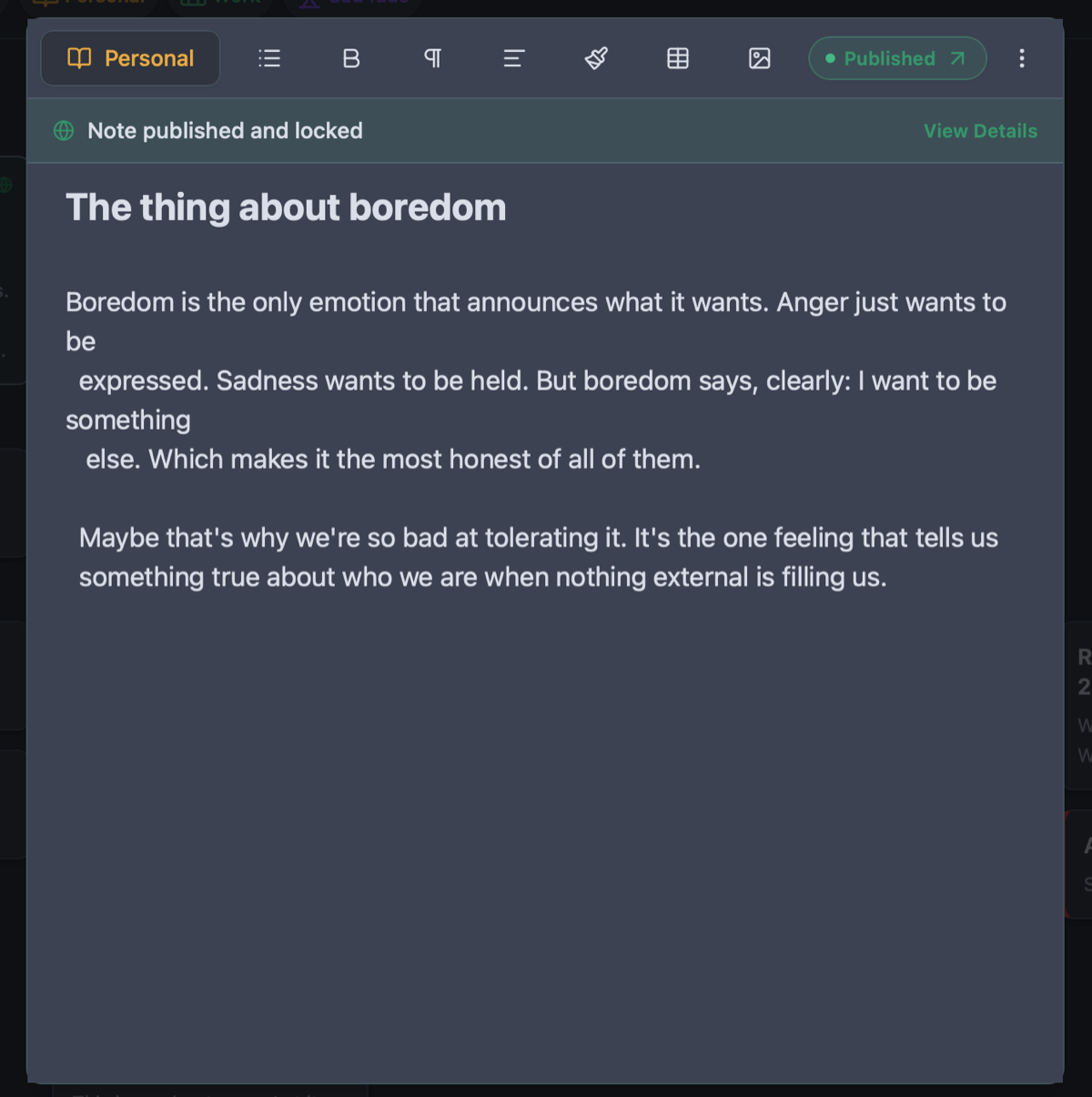
Traditional digital garden setups require complex static site generators, Obsidian export plugins, Git push hooks, and hosting scripts. Owldo eliminates all of that: write your notes locally, toggle "Publish", and your digital garden updates immediately.
See Owldo in action
Frequently asked questions
Can I keep some notes private while publishing others?
Yes. In Owldo, notes are private by default. Only notes where you explicitly enable the "Publish" toggle are visible on your public garden.
Can readers search through my digital garden?
Yes. Owldo blogs support instant client-side keyword search across all your published notes.
Does Atlas support math equations or code snippets?
Yes. Full Markdown formatting, tables, blockquotes, and code blocks render with clean styling.
Related guides & use cases
Explore more ways to organize your thoughts and publish your work.