Owldo for Consultants
For the professional who lives on airplanes and hotel Wi-Fi.

Management and technical consulting requires constant travel, rapid client meetings, and the handling of highly sensitive corporate data. Cloud-only productivity tools fail in this demanding environment.
Owldo is an offline-first workspace with optional End-to-End Encryption. It ensures you can take meeting notes at 35,000 feet, manage client deliverables in airport dead zones, and protect confidential corporate data mathematically.
Our Philosophy
“We build sharp knives, not Swiss army knives.”
Most productivity apps try to be everything for everyone, resulting in bloated, slow software. Owldo is deliberately opinionated. We built a fast, local-first tool strictly for people who think in prose and execute in deadlines.
The Offline-First Travel Advantage
If your productivity system lives in a web browser tab, you are at the mercy of flaky in-flight Wi-Fi and congested hotel networks. A dropped connection means being locked out of your notes 30 minutes before a major client presentation.
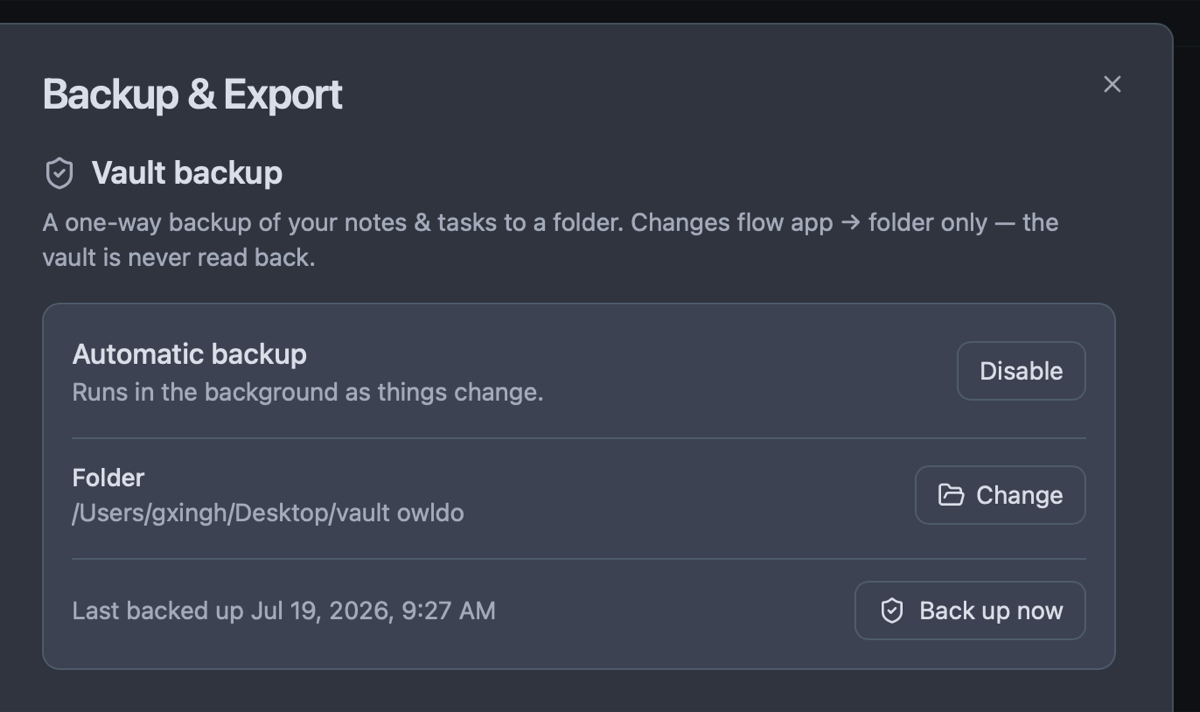
Owldo stores your workspace locally on your laptop. You have 100% access to every note, project brief, task checklist, and calendar view while flying over the ocean. When you land and reconnect, Owldo silently syncs changes to your phone in the background.
Securing Confidential Client Data
Consultants handle non-public financial projections, restructuring plans, and proprietary codebases. Storing this in standard cloud apps leaves your clients vulnerable. By enabling Owldo's AES-256 client-side encryption, your notes are mathematically scrambled before transmission. No third party can inspect your files.
Daily Planning for Billable Hours
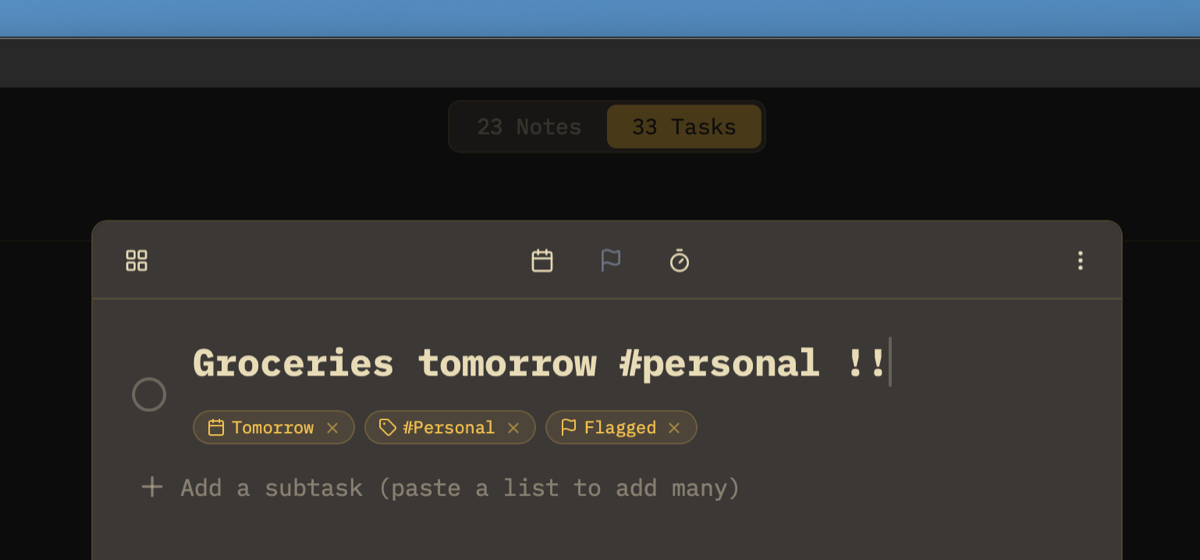
When your revenue depends on billable hours, you cannot afford ambiguous time management. Owldo's unified Daily Planner integrates your calendar commitments alongside high-priority client tasks, giving you a sharp roadmap for every working hour.
What Owldo gives consultants
What this replaces
- Evernote (requires a premium subscription just for basic offline access)
- Notion (unreliable and slow without a continuous internet connection)
- OneNote (clunky sync conflicts and outdated enterprise UI)
Frequently asked questions
Can I use Owldo completely offline during transcontinental flights?
Yes. The entire app is 100% functional without internet: drafting notes, reviewing deliverables, and running focus sprints work natively.
How secure is confidential client data in Owldo?
With E2EE enabled, notes are encrypted with an AES-256 key derived locally on your device that never leaves your machine.
Can I separate confidential notes across different clients?
Yes. Spaces let you completely partition clients into separate, dedicated rooms with zero cross-contamination.
Can I export clean Markdown archives at the end of an engagement?
Yes. You can export a client Space to standard Markdown and CSV files with one click for client handoff.
Owldo is also built for
See how Owldo adapts to other ways people think and work.

Role
Owldo for Writers
Your drafts, deadlines, and blog in one place. Write offline. Publish with one tap.

Role
Owldo for Students
Notes and assignments together. No more switching between apps mid-study session.

Role
Owldo for Founders
For the messy reality of building a company. Meeting notes, bug fixes, and investor updates in one fast workspace.