Comparison
Owldo vs Obsidian.

Obsidian is a masterpiece of personal knowledge management. Its graph view and bidirectional links are unmatched for research and thinking.
But Obsidian requires you to build your own task system using community plugins, Dataview queries, and complex CSS snippets. Owldo is built for people who want the speed of local Markdown, but need tasks and execution tools working out of the box.
Our Philosophy
“You shouldn't rent your data. You should own it.”
Proprietary cloud databases are traps designed to make it impossible for you to leave. Owldo rejects this hostile approach. Your notes are standard Markdown. You can export your entire database at any second, which forces us to build a product so good you'll want to stay.
| Feature | Owldo | Obsidian |
|---|---|---|
| Core philosophy | Action & Execution | Knowledge Graph & Research |
| Setup required | Zero — works immediately | High — plugins required for tasks |
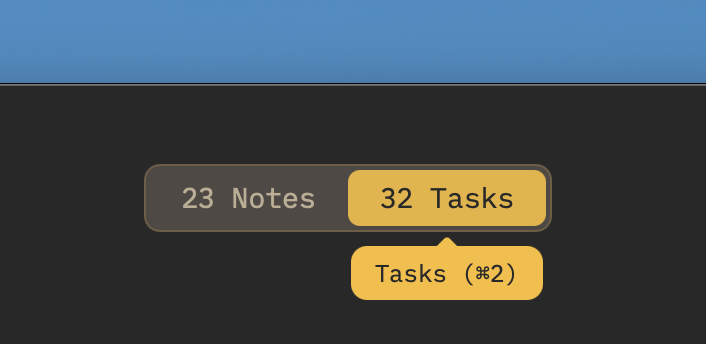
| Task management | Native (due dates, calendar, schedule) | Plugins (Tasks, Dataview) |
| Pomodoro timer | Built in natively | Community plugin |
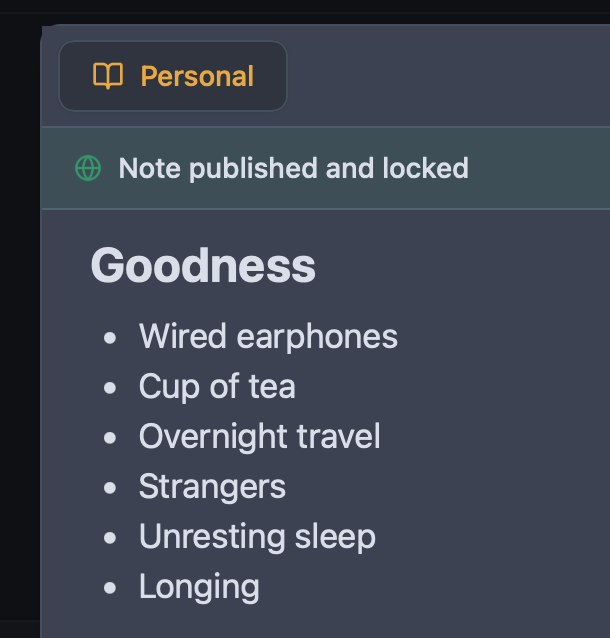
| Publish to web | Built in (one tap, custom domain) | Obsidian Publish ($8/mo add-on) |
| Sync pricing | $3/mo (sync + publishing) | $4–$8/mo (Obsidian Sync) |
| Local-first architecture | Yes (SQLite) | Yes (Plain text files) |
The Plugin Maintenance Trap
Obsidian’s greatest strength is its plugin ecosystem, but that strength is also its greatest weakness. To build a functional task management system in Obsidian, you have to install the Tasks plugin, configure Dataview queries, and constantly maintain YAML frontmatter.
When a plugin breaks or an update conflicts with your theme, you spend your working hours debugging your notes instead of doing the actual work. Owldo is an opinionated, cohesive system. Tasks are native. They have due dates. They appear on your schedule. No plugins required.
Local-First Speed and Data Sovereignty
Both Owldo and Obsidian share the belief that your data belongs on your device. Neither app makes you stare at a loading spinner while your thoughts load from a remote server.
Owldo uses an embedded SQLite database locally, giving you the same zero-latency feel and offline dependability, but with structured query speed and effortless multi-device sync.
Where Obsidian Wins
If you are an academic researcher, an author writing a non-fiction book, or someone building a massive, interconnected Zettelkasten knowledge base with thousands of cross-references, Obsidian is genuinely superior.
Owldo is built for personal execution: people who have projects with deadlines, daily to-dos, code snippets, and essays to publish.
What you get with Owldo

Frequently asked questions
Can I use Owldo alongside Obsidian?
Yes. Many users keep Obsidian for long-term reference and research archives, while using Owldo as their daily driver for active projects, tasks, and focus sessions.
Can I export my Owldo notes to Markdown for Obsidian?
Yes. Owldo exports standard Markdown files, making it easy to archive completed projects into an Obsidian vault.
Does Owldo have a graph view like Obsidian?
No. Owldo intentionally omits graph views to keep you focused on actionable execution rather than visual network maintenance.
Is Owldo cheaper than Obsidian Sync and Publish combined?
Yes. Obsidian charges $4–$8/mo for Sync and $8/mo for Publish ($12–$16/mo total). Owldo bundles encrypted sync and web publishing together for a flat $3/month.
More honest comparisons
See how Owldo sits next to other tools you may be considering.

Comparison
Owldo vs Notion
Notion is an infinite canvas that demands setup. Owldo works immediately. When simple beats powerful.

Comparison
Owldo vs Logseq
Logseq is an outliner. Owldo is a workspace. Compare the two local-first note apps.

Comparison
Owldo vs Bear
Bear is a beautiful markdown app trapped in the Apple ecosystem. Owldo brings that beauty to Windows and adds task management.